Custom CS2 Skin Filters
Define exactly what you want: price, float, pattern, stickers, and more. Get DMed the instant a matching item lists.
Precise filters, no code required
Find the exact items you are looking for, without all the labor
Visual editor
View and edit your filters in a visual editor
Discord sync
Syncs to your Discord account, toggle your filters for instant alerts
AI assistant
AI powered filter assistant to help create or refine filters
 M4A1-S | Printstream (Battle-Scarred)
 Pricempire
 Youpin
 CSFloat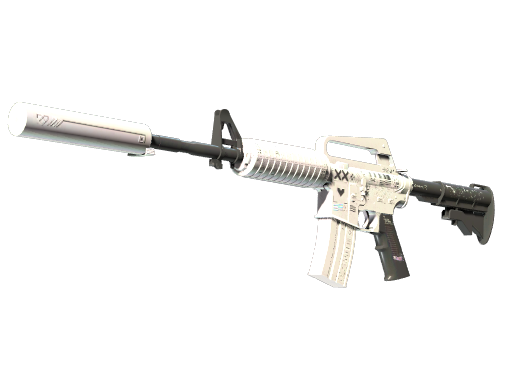
Above is a real example of a filter alert
Filter on anything
Stack any of these rules to describe the exact item you're hunting.
Applied Charm Keywords
Match keywords against the name of applied charms on the item.
Case Hardened
Match Case Hardened/Heat Treated items based on color dominance ranking.
Category
Match items based on the category of the item.
Charm Pattern
Match applied or unapplied charms based on a range of acceptable patterns.
Collection
Match items based on the collection the item belongs to.
Condition
Match items based on the wear condition of the item.
Fade Percent
Match items based on the fade percentage of the item.
Float
Match items based on the float value of the item. Effective float is normalization of the float value as if the range in question was normalized to a full 0-1.
Float Range Edge
Match items against a whitelist of allowed float range edges.
Float Range Edge Proximity
Match items against a max allowed distance to a given float range edge.
Float Range Size
Match items against a max allowed float range size.
Float Rank
Match items based on their CSFloat database float ranking.
Item Name Keywords
Match keywords against the name of the item.
Liquidity
Match item based on its liquidity score (Pricempire or an estimate from market depth, spread, and sales). Unknown liquidity does not match.
Marketplace
Match item based on the marketplace that it is listed on.
Overpay
Match items based on max percentage the list price can be compared to our systems estimated value for the item, considering its float or pattern.
Paint Index
Match items based on paint index. Not to be confused with pattern, this value is the games internal integer referring to the skins paint job.
Phase
Match items based on Doppler phase.
Price
Match items based on the price of the item. (USD)
Rarity
Match items based on the rarity of the item.
Reference Price
Match items based on comparison to market prices.
Reference Price Delta
Match items based on how much a reference price has moved over a selected time period.
Skin Name
Match item based on the name of the items skin finish.
Standard Deal
Match items that matched our predefined standard deal checks.
Sticker Craft
Match items based on a combination of stickers (or patches) applied to the item.
Trade-up Collection Gold
Match items based on what type of rare special item is available in the items collection.
Trade-up Outputs
Match items based on it being a direct child item of given item(s) (M4A1-S | Knight is a direct child item of the AWP | Dragon Lore)
Trade-up Value
Match items based on a comparison to the value of the item given the average value of the items it would trade up to.
Type
Match items based on the type of the item.
Weapon
Match items based on the weapon type of the item.
Weapon Family
Match items based on the weapon family of the item.
Weapon Pattern
Match items based on the weapon pattern of the item.
How it works
1. Build your filter
Combine rules to pin down the exact skin you want.
2. Save and Toggle
Progress syncs to your Discord login. Toggle your filters any time.
3. Get Alerted
When an item matches one of your filters, you’ll be alerted via DM.